 8 Font Ecopixel Functions Guide
 Xeno3 Pixel and RGB Support
 Golden Harvest V4
 Soundboard Board Voice Packs
 Xenopixel v2 Support
 RGBX Support
 RGBX 12 Font Support
 Golden Harvest Support
 Proffie OS 8.10 Function
 Proffie OS7.13 Function
Sub-Total: $0.00

Get Help With Proffie v2.2
Custom Darkwolf Sabers simplifies Proffie v2.2 use. Learn to adjust, reset, and upgrade your saber’s core for peak results.
Site Content
Proffie Version V8.10 (03/27/2026)
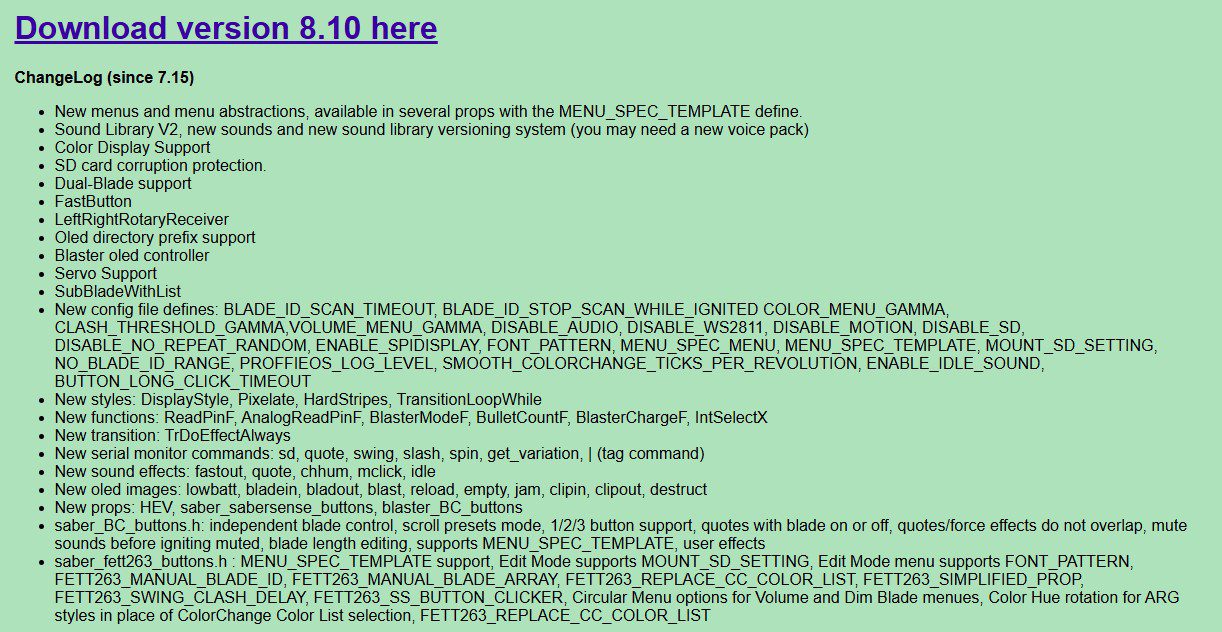
Download version 8.10 here
ChangeLog (since 7.15)
- New menus and menu abstractions, available in several props with the MENU_SPEC_TEMPLATE define.
- Sound Library V2, new sounds and new sound library versioning system (you may need a new voice pack)
- Color Display Support
- SD card corruption protection.
- Dual-Blade support
- FastButton
- LeftRightRotaryReceiver
- Oled directory prefix support
- Blaster oled controller
- Servo Support
- SubBladeWithList
- New config file defines: BLADE_ID_SCAN_TIMEOUT, BLADE_ID_STOP_SCAN_WHILE_IGNITED COLOR_MENU_GAMMA, CLASH_THRESHOLD_GAMMA,VOLUME_MENU_GAMMA, DISABLE_AUDIO, DISABLE_WS2811, DISABLE_MOTION, DISABLE_SD, DISABLE_NO_REPEAT_RANDOM, ENABLE_SPIDISPLAY, FONT_PATTERN, MENU_SPEC_MENU, MENU_SPEC_TEMPLATE, MOUNT_SD_SETTING, NO_BLADE_ID_RANGE, PROFFIEOS_LOG_LEVEL, SMOOTH_COLORCHANGE_TICKS_PER_REVOLUTION, ENABLE_IDLE_SOUND, BUTTON_LONG_CLICK_TIMEOUT
- New styles: DisplayStyle, Pixelate, HardStripes, TransitionLoopWhile
- New functions: ReadPinF, AnalogReadPinF, BlasterModeF, BulletCountF, BlasterChargeF, IntSelectX
- New transition: TrDoEffectAlways
- New serial monitor commands: sd, quote, swing, slash, spin, get_variation, | (tag command)
- New sound effects: fastout, quote, chhum, mclick, idle
- New oled images: lowbatt, bladein, bladout, blast, reload, empty, jam, clipin, clipout, destruct
- New props: HEV, saber_sabersense_buttons, blaster_BC_buttons
- saber_BC_buttons.h: independent blade control, scroll presets mode, 1/2/3 button support, quotes with blade on or off, quotes/force effects do not overlap, mute sounds before igniting muted, blade length editing, supports MENU_SPEC_TEMPLATE, user effects
- saber_fett263_buttons.h : MENU_SPEC_TEMPLATE support, Edit Mode supports MOUNT_SD_SETTING, Edit Mode menu supports FONT_PATTERN, FETT263_MANUAL_BLADE_ID, FETT263_MANUAL_BLADE_ARRAY, FETT263_REPLACE_CC_COLOR_LIST, FETT263_SIMPLIFIED_PROP, FETT263_SWING_CLASH_DELAY, FETT263_SS_BUTTON_CLICKER, Circular Menu options for Volume and Dim Blade menues, Color Hue rotation for ARG styles in place of ColorChange Color List selection, FETT263_REPLACE_CC_COLOR_LIST
Font Renaming Convertor by Brian Connors

Here is a very Helpful Converter Made by Brian Conner in the download folder there is a Readme file easy to read on codewriter its what i use.
This awesome converter will help you covert Font files form any of the formats below.
Script to automate renaming cross-platform saber sound fonts. Welcome to the multi-board soundfont renaming conversion tool! - by r/Mormegil, modified by r/NoSloppy. This tool will convert from: Proffie to (proper) Proffie, including adding .ini files for you CFX to GoldenHarvest CFX to Xenopixel Proffie to CFX Proffie to GoldenHarvest Proffie to Xenopixel Xenopixel to CFX Xenopixel to GoldenHarvest The converted soundfonts are placed in a new folder named 'Converted_to_'X'', where X is the board you chose to convert to.
Demo Video here (preliminary version): https://www.youtube.com/watch?v=JU3JzyrN00s
Just move a copy of the fonts you want to convert into the SoundFontNamingConverter folder with the tool files.
READ the README PDF
Link to file below
https://www.soundfontnamingconverter.com
**If you find this very useful, please go and show some love to the man for his hard work. 🙂
Trouble Shooting Proffie Config Errors by Brian Connors
This is for Those Customers Who Upload Configs
Proffie Os6.9 Prop Used Bc Button Prop

Features:
- Live preset changing while blade is running (skips font.wav and preon).
- Battle Mode, gesture ignitions, and multi-blast based on fett263's work.
- Auto enter/exit multi-blaster block mode
- Spoken Battery level, with percentage option.
- Added quote sound so force.wavs can remain as force.
- Add quote.wav files to font to use.
- Play / Stop track control while blade is on.
- Force Push is always available, not just in Battle Mode.
- Melt is always available as no button, with pull-away or button to end.
- Drag is always clash with button pressed while pointing down.
- No blade = no gestures option if Blade Detect is used.
- Use wav files for talkie things.
- Optional On-the-fly volume controls with cycle through min and max levels.
Optional Blade style elements:
On-Demand battery level - A layer built into the blade styles that reacts
as the battery gets weaker, changing blade color
from Green to Red, and the blade length shortens:
EFFECT_USER1 - use as a standalone trigger for EffectSequence<>,
for example as a way to have multiple blade styles in one preset.
- Usage:EffectSequence<EFFECT_USER1, item1, item2...>
- Custom swap.wav files can be used as the sound effect,
otherwise ccchange.wav is used.
EFFECT_USER2 - for blade effects with sounds that might work better without hum,
this plays sounds monophonically.
(think seismic charge silence, iceblade etc...)
- monosfx.wav files are used. It can be just the sound, or a
blade effect too by using EFFECT_USER2 in a TransitionEffectL.
Optional #defines:
#define ENABLE_AUTO_SWING_BLAST - Multi-blast initiated by simply swinging
within 1 second of last blast.
Exit by not swinging for 1 second.
#define VOLUME_MENU_CYCLE- This allows the Volume menu to loop through from
maximum back to minimum and vice versa.
#define FEMALE_TALKIE_VOICE- To use a female voice version of onboard Talkie.
#define NO_VOLUME_MENU- Option to omit On-the-fly Volume menu control with buttons.
---------------------------------------------------------------------------
Gesture Controls:
- There are four gesture types: swing, stab, thrust and twist.
For simplicity, using gesture ignition will automatically skip the preon effect.
Below are the options to add to the config to enable the various gestures:
#define BC_SWING_ON
#define BC_STAB_ON
#define BC_THRUST_ON
#define BC_TWIST_ON
#define BC_TWIST_OFF
#define NO_BLADE_NO_GEST_ONOFF
- If using blade detect, Gesture ignitions or retractions are disabled.
**NOTE** Only works when a BLADE_DETECT_PIN is defined.
#define BC_FORCE_PUSH
- This mode plays a force sound (or force push sound if the font contains it) with
a controlled pushing gesture, and is always available, not just in Battle Mode.
#define BC_FORCE_PUSH_LENGTH
- Used for adjustment to the Push gesture length in millis needed to trigger
Force Push. Recommended range 1 ~ 10,
1 = shortest, easiest to trigger, 10 = longest. Default value is 5.
#define BC_GESTURE_AUTO_BATTLE_MODE
- Makes gesture ignition ALSO enter battle mode automatically on ignition.
"Battle Mode 1.0" by fett263, BC modified version:
- Once you enter battle mode, buttons are not used for lockup.
Clashing the blade against something will automatically do lockup and then end
when you pull away.
- Automatic lockup and grazing clash (swinging through) detection works
by measuring delay of the saber blade pulling back from the clash.
If you clash the blade and it does not pull back during the delay period,
it is assumed to be a lockup and the lockup effect will show on the blade.
If you clash the blade and pull away, only the bgn/end lockup effects will show.
You can adjust the threshold of this detection by using:
#define BC_LOCKUP_DELAY (insert number here)
Default value is 200.
If you don't rebound off the object (opponent's blade) but instead clash while
swinging through, clash will automatically trigger.
- To manually override the auto-lockup temporarily and get a regular clash,
hold any button while clashing.
- Automatic clash/lockup uses the pre and post lockup effects
so your blade style and font MUST have those capabilities to support
battle mode.
- Melt will automatically trigger with no buttons when you physically
stab something, and end when you pull away or push any button.
- Stab will trigger either with no buttons and thrusting forward,
or with any button and physically stabbing something.
====================== 1 BUTTON CONTROLS ========================
| Sorted by ON or OFF state: (what it's like while using saber) |
=================================================================
************* WHILE SABER BLADE IS OFF ***************
Turn blade ON - Short click POW (or gestures if defined, uses FastOn)
Turn ON without preon - Short click POW while pointing up.
Turn blade ON Muted - 4x click and hold POW.
Next Preset - Long click and release POW.
Prev Preset - Double click and hold POW, release after a second.
(click then long click)
Play/Stop Track - 4x click POW.
Volume Menu:
Enter/Exit- Hold POW + Clash.
Volume UP- Long click and release POW while in Volume Menu. (just like next preset)
Volume DOWN- Double click and hold POW, release after a second while in Volume Menu.
(click then long click, just like next preset)
Spoken Battery Level
in volts- Triple click POW.
in percentage - Triple click and hold POW.
On-Demand Batt Level - Double click POW.
(requires EFFECT_BATTERY_LEVEL to be in blade style,
and uses battery.wav sound effect.)
************* WHILE SABER BLADE IS ON ****************
Play/Stop Track - 4x click POW.
Next Preset - Long click and release POW while pointing up.
Prev Preset - Double click and release POW after a second
while pointing up. (click then long click)
Clash- No buttons, just hit the blade against something.
In Battle Mode, Hold POW and Clash to temporarily
override the auto-lockup and do regular Clash.
Stab- Either no button and just Thrust forward,
or Hold any button and physically stab something.
Works in Battle Mode!
Blaster Blocks- Click or Double click POW.
Auto Swing Blast- if #define ENABLE_AUTO_SWING_BLAST is active,
swinging within 1 second of doing button activated
Blaster Block will start this timed mode.
To trigger auto blaster blocks, swing saber
within 1 second of last Swing Blast block.
To exit, stop swinging for 1 second.
Lockup- Hold POW + Clash.
In Battle Mode, just Clash and stay there,
pull away or press POW to end lockup.
Drag- Hold POW + Clash while pointing down.
Melt- No button, just stab something. pull away or
press POW to end.
Lightning Block- Double click and hold POW.
Battle Mode- Triple click and hold POW to enter and exit.
Power OFF is disabled while in Battle Mode,
YOU MUST EXIT THE MODE WITH THIS COMBO FIRST.
Force Effect- Hold POW + Twist. (while NOT pointing up or down)
Monophonic Force- Hold POW + Twist. (while pointing up)
Color Change Mode- Hold POW + Twist. (while pointing down)
- Rotate hilt to cycle through all available colors, or
- Click POW to change if ColorChange<> used in blade style,
- Click + hold POW to save color selection and exit.
- Triple click POW to exit without changing color.
ColorChange explained:
If the style uses ColorChange<>, when you activate color change mode,
there will be up to 12 steps per rotation with a little sound at each step.
If it does not use ColorChange<>, the color wheel will be activated,
which has 32768 steps per rotation.
COLOR_CHANGE_DIRECT makes it so that IF the style uses ColorChange<>,
when you activate color change mode, it will immediately go to the
next color and exit color change mode. If the style does not use
ColorChange<>, it has no effect.
Quote Player- Triple click POW.
Force Push- Push hilt perpendicularly from a stop.
Swap (EffectSequence)- 4x click and hold POW medium. (while NOT pointing up)
PowerSave Dim Blade- 4x click and hold POW medium. (while pointing up)
(To use Power Save requires AlphaL based EffectSequence in style)
Turn off blade- Hold POW and wait until blade is off,
or Twist if using #define BC_TWIST_OFF.
Proffie Os6.9 Now Avaliable Details Below

TL;DR; you can download ProffieOS 6.9 from:
- my site: ProffieOS 41
- or github: https://github.com/profezzorn/ProffieOS/releases/download/v6.3/ProffieOS-v6.3.zip 20
Below is a list of features added in ProffieOS 6.x:
See bottom of post for information about how to help with testing.
FEATURES
- Proffieboard V3 support.
- Audio high-pass filtering.
- interrupt driven i2c
- 1600Hz motion sensing
- better WS2811 data buffering
- better filtering of high-frequency motion and gyro data
- much better display frame rates
- AudioLibrary
- Per-effect volume
- Per-effect “paired” setting.
- EFFECT_POSTOFF
- preon->ignition transition is now gapless
- Support for rotary inputs.
- Support for potentiometer inputs.
- Support for Savi’s workshop blades.
- pow/aux commands now allows for generating chords and different types of clicks.
- blade styles used in your config file can now have arguments.
- Maximum NUM_BLADES increased to 20.
- Clash strength calculations (note that the clash strength can increase after the clash occurs.)
- Aurebesh font
- Many many bugfixes and optimizations.
- SaberBlasterProp
- Accent Swing file selection (replaces accent slashes)
- idle.bmp / idle.pbm support for OLED displays
- OLED bullet counts
DEFINES
- DYNAMIC_BLADE_DIMMING
- DYNAMIC_BLADE_LENGTH
- DYNAMIC_CLASH_THRESHOLD
- SAVE_BLADE_DIMMING
- SAVE_CLASH_THRESHOLD
- INCLUDE_SSD1306
- FILTER_CUTOFF_FREQUENCY
- FILTER_ORDER
- NO_REPEAT_RANDOM
- FEMALE_TALKIE_VOICE
- DISABLE_BASIC_PARSER_STYLES
- ENABLE_ALL_EDIT_OPTIONS
STYLES
- ColorSelect
- StaticFire
- Remap
TRANSITIONS
- TrCenterWipe / TrCenterWipeX
- TrCenterWipeIn
- TrCenterWipeInSparkX / TrCenterWipeInSpark
- TrColorCycleX
- TrExtend / TrExtendX
- TrSelect
- TrSpark / TrSparkX
FUNCTIONS
- CenterDistF
- ClashImpactF / ClashImpactFX
- EffectPosition
- HoldPeakF
- IntSelect
- LinearSectionF
- RampF
- Sum
- TimeSinceEffect
- WavLen
- Wavnum
- SwingAcceleration
SERIAL MONITOR COMMANDS
- get_gesture
- set_gesture
- get_max_blade_lenght
- get_blade_length
- set_blade_length
- get_blade_dimming
- set_blade_dimming
- get_clash_threshold
- set_clash_threshold
FETT263 PROP FEATURES
- Edit Mode Menu
- Battle Mode 2.0
- “Real Clash” - Clash Sounds based on Clash Strength
- Track Player
- Dual Mode Sounds Ignition, Preon, Retraction PstOff
- Spoken Battery Level / Colors
- Hybrid Force / Quote Player
- Rehearsal / Choreography Mode
- Gesture Sleep
- Preset Menu
- Volume Menu update
FETT263 MENUES
- Edit Style
- Select Style
- Edit Style Settings
- Edit Color
- Color List
- Adjust Color Hue
- Adjust White Level
- Adjust Black Level
- Copy Colors
- Reset Colors
- Edit Font
- Edit Track
- Edit Settings
- Edit Volume
- Edit Control Settings
- Edit Clash Threshold
- Edit Blade Length
- Edit Brightness
- Copy Preset
- Delete Preset
FETT263 PROP DEFINES
- FETT263_EDIT_MODE_MENU
- FETT263_SAVE_CHOREOGRAPHY
- FETT263_DUAL_MODE_SOUND
- FETT263_CLASH_STRENGTH_SOUND
- FETT263_MAX_CLASH
- FETT263_SAY_COLOR_LIST
- FETT263_SAY_COLOR_LIST_CC
- FETT263_SAY_BATTERY
- FETT263_BATTLE_MODE_ALWAYS_ON
- FETT263_BATTLE_MODE_START_ON
- FETT263_LOCKUP_DELAY
- FETT263_BM_CLASH_DETECT
- FETT263_BM_DISABLE_OFF_BUTTON
- FETT263_SWING_ON
- FETT263_SWING_ON_PREON
- FETT263_SWING_ON_NO_BM
- FETT263_SWING_ON_SPEED
- FETT263_TWIST_OFF
- FETT263_TWIST_ON
- FETT263_TWIST_ON_PREON
- FETT263_TWIST_ON_NO_BM
- FETT263_STAB_ON
- FETT263_STAB_ON_PREON
- FETT263_THRUST_ON
- FETT263_THRUST_ON_PREON
- FETT263_THRUST_ON_NO_BM
- FETT263_SAVE_GESTURE_OFF
- FETT263_FORCE_PUSH
- FETT263_FORCE_PUSH_ALWAYS_ON
- FETT263_FORCE_PUSH_LENGTH
- FETT263_MULTI_PHASE
- FETT263_SAY_BATTERY_VOLTS
- FETT263_SAY_BATTERY_PERCENT
- FETT263_QUOTE_PLAYER_START_ON
- FETT263_HOLD_BUTTON_OFF
- FETT263_HOLD_BUTTON_LOCKUP
FETT263 PROP EXTRA SOUNDS
- dim.wav
- battery.wav
- bmbegin.wav
- bmend.wav
- vmbegin.wav
- vmend.wav
- push.wav
- faston.wav
- blstbgn.wav
- blstend.wav
- quote01.wav
- +all the sounds in the sound library
Additional Resources
- Documentation about Fett264’s prop and edit mode: Countdown to ProffieOS6 10
- Voice packs for edit mode: Free prop sounds 13
- Edit mode takes up lots of RAM and FLASH, to make it work better, you probably want to use version 3.6 of the
Arduino-Proffieboard plugin: Arduino-Proffieboard Plugin v3.6 beta - Latest version of the proffieboard workbench (webusb/webble app) will let you edit all the new options graphically: https://profezzorn.github.io/lightsaber-web-bluetooth/app.html 10
Proffie Functions Os 5.9 by Gcr Sabers
- Proffie functions OS 5.9 by GCR Sabers
- Button configs:
- 1X Button:
- Activate Muted - double click and hold while OFF
- Activate - short click while OFF
- Play/Stop Music - double click while OFF
- Turn off blade - hold and wait till blade is off while ON
- Next Preset - hold and release while OFF
- Prev Preset - hold and wait while OFF
- Lockup - hold + hit clash while ON
- Stab - thrust forward clash while ON
- Lightning Block - double click and hold while ON
- Melt - hold + thust forward clash while ON
- Drag - hold + hit clash while ON pointing the blade tip down
- Blaster Blocks - short click/double click/triple click while on
- Multi-Blast - hold while swinging for one second and release
- * To trigger blaster block, swing saber while in multi-blast mode
- * To exit, hold while swinging for one second and release
- Battle Mode - triple-click and hold while on
- Force Effects - hold + twist the hilt while ON (while pointing up)
- Color Change mode - hold + twist the hilt while ON (pointing down)
- Enter Volume - Menu hold + clash while OFF
- Volume UP - hold and release while in Volume Menu
- Volume DOWN - click while in Volume Menu
- Exit Volume Menu - Menu hold + clash while OFF
- Battery Level - triple click while OFF
Proffie Wiki

Main links:
- Home · profezzorn/ProffieOS Wiki · GitHub
- Proffieboard V2: https://fredrik.hubbe.net/lightsaber/v5/
- Proffieboard V2 manual
Configuration/Programming instructions:
- Proffieboard Setup
- The config file
- Blade Configuration
- LED Configuration - for inhilt LEDs
- LED Channel Selection - more about inhilt LEDs
- Preset Configuration
- How to use it
- WebUSB
- Button Actions: making your own prop file
- Editing-presets.ini-by-hand
Configuration/Programming troubleshooting:
- Is it uploading?
- It doesn't compile and I don't know why
- USB connection issues
- Zadig
- Serial Monitor
- Where's my Port?
- What is it saying?
- smoothsw.ini
- Saving Memory
- How many LEDS does my blade have?
Proffieboard Wiring and hardware pages:
Blade style Configurators
Proffie Listed Fonts as of 02/26/2021

Current version OS 5.9 Board V2,2 White and gold or Black and Gold
LISTED FONTS
- Pre-installed 19 sound fonts
- Bank 1 = kylo
- Bank 2 = rey's final step
- Bank 3 = Dark Sword (darksaber)
- Bank 4 = Acension
- Bank 5 = Maul (crimson menance
- Bank 6 = Malicos
- Bank 7 = Ben Solo
- Bank 8 = Empress Palpatine
- Bank 9 = count dooku
- Bank 10 = kenobi (the bold one)
- Bank 11 = Rogue Commander
- Bank 12 = Darkness
- Bank 13 = graflex
- Bank 14 = fallen Order
- Bank 15 = leia (General)
- Bank 16 = Dark Revan
- Bank 17 = Starkiller
- Bank 18 = defiance
- Bank Rainbow = proffie tycrystal
Up Coming update will include
- A new save state mode that will allow user to store the last preset used like blade color, volume level and preset font.
- Blade colors have also been updated to match closer to the font character
- Added by popular demand RAINBOW BLADE
- ADDED 3 New Fonts designed for filling where users can now update the font by deleting old and adding new with out needing to uploading to proffie
- Changed folder names to BANK# vs. Font name what this means customers can update new fonts with out programming and can easily do via usb port